
The Emergency Spill Guide: How to Save Your Mechanical Keyboard
⚠️ STOP! DO THESE 3 THINGS NOW:
-
Unplug the keyboard (or turn off the wireless switch).
-
Flip it upside down onto a towel to stop liquid from reaching the PCB.
-
Remove the keycaps in the affected area. Read below for the full deep-cleaning restoration steps.
Time is of the essence. Whether it’s water, coffee, or soda, the steps you take in the next 60 seconds will determine if your PCB (the “brain” of your keyboard) survives or shorts out.
Step 1: The “Kill Switch” (Immediate Action)
Unplug the keyboard immediately. If it is a wireless keyboard, toggle the power switch to OFF.
-
Why? Liquid + Electricity = Electrolysis. This is what causes permanent corrosion on your circuit board. Do not “test” the keys to see if they still work.
Step 2: The Gravity Flip
Flip the keyboard upside down onto a clean, dry towel.
-
The Goal: You want the liquid to fall out through the switches rather than seeping deeper into the PCB and internal components.
-
Pro Tip: Give it a gentle shake, but keep it horizontal to prevent the liquid from running into the side edges of the case.
Step 3: Strip the Board
Using your keycap puller, remove all keycaps. If you have a hotswap-capable board, remove the switches in the “splash zone” as well.
-
Check for Gunk: If the spill was sugary (soda or energy drinks), the liquid will become “syrup” as it dries. You must address this while it is still damp if possible.
Step 4: The Isopropyl Flush
If the spill was anything other than plain water, you need to neutralize the residue. Use 99% Isopropyl Alcohol (IPA).
-
Action: Dampen a microfiber cloth or a cotton swab with IPA and gently wipe the plate and PCB.
-
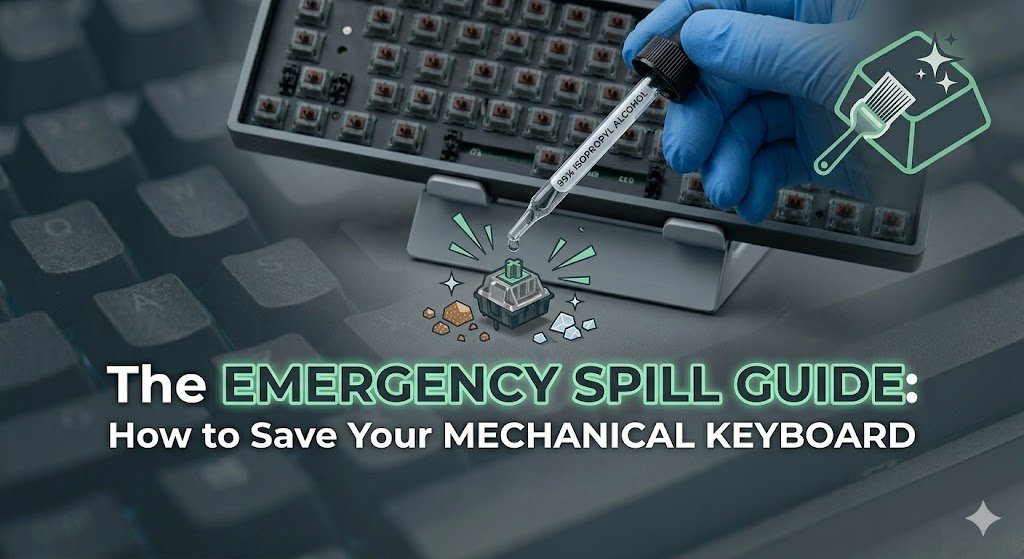
For Sticky Switches: If a switch feels crunchy or sticky, you can use a dropper to put 2–3 drops of IPA directly into the switch stem while pressing it repeatedly to break down the sugar.
Step 5: The 48-Hour Deep Dry
Do not use a hair dryer. Excessive heat can warp your plastic keycaps or damage the delicate solder joints.
-
The Method: Leave the keyboard disassembled, upside down, in a well-ventilated area for at least 48 hours.
-
The “Rice” Myth: Avoid putting your keyboard in rice. Rice dust and particles can get stuck inside your switches, creating a mechanical mess that is harder to fix than the spill itself.